Turning your website into a mobile app is possible with three approaches: custom development, DIY app builders and platforms that convert your existing site, such as Appo (from EUR 40/month). In Italy, 42.1% of online purchases are made from a smartphone (We Are Social / Meltwater 2025, cited in Casaleggio Associati, "E-commerce in Italia 2025", p. 31). For brands with significant mobile traffic and repeat customers, an app is increasingly a standard that customers expect.
Can you actually turn a website into an app?
Yes, and it is more common than most people realize. Turning a website into an app means delivering your existing web content through a native app framework, with native capabilities layered on top: push notifications, app store presence, native navigation and deep linking. The result is a real app that users download from the App Store and Google Play. A native app that uses your website as its content engine is the same approach used by some of the biggest apps in the world. Amazon, Shopify, Instagram and Gmail all blend native and web elements in their mobile apps. These companies could build everything natively. They choose not to, because using web content lets them ship faster and maintain less code. The same principle applies to your business, just at a different scale.
Why turn your website into a mobile app?
If you are still weighing whether an app is worth the investment, these are the reasons that matter.
Mobile users spend their time in apps, not browsers
Over 91% of smartphone time is spent in apps, and less than 6% in the browser (Sensor Tower, State of Mobile 2026). When your customers pick up their phones, they open apps, they do not type URLs.
An app stays on the home screen
The home screen icon makes coming back more immediate, and someone who installed your app is a customer who chose to keep your brand within reach.
Push notifications are a direct channel
Push notifications reach customers on their lock screen, at no cost per send. Automated ones for abandoned carts, back-in-stock products and timed promotions bring the customer back to the store.
An app is becoming a standard
For brands with strong repeat-purchase models, an app is becoming a standard rather than a competitive advantage.
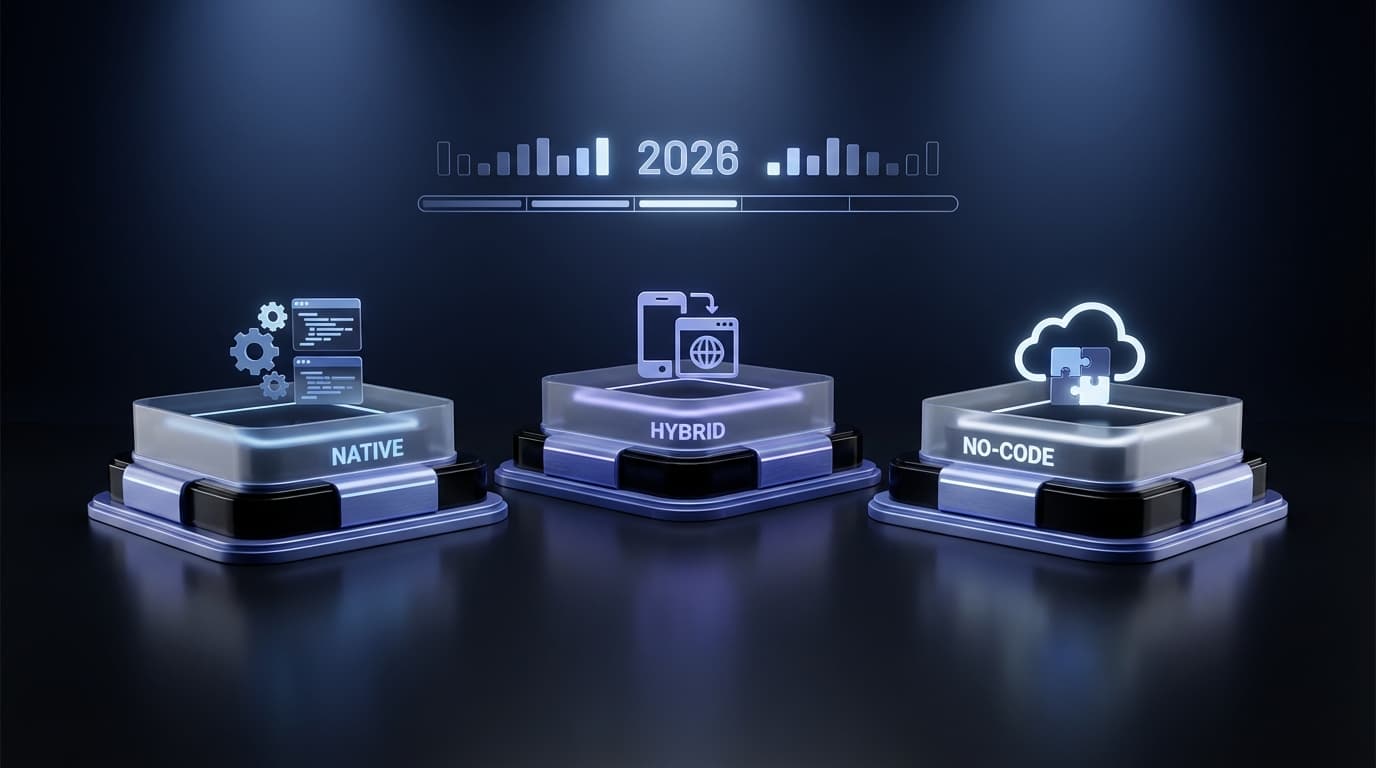
What are the three main ways to turn your website into an app?
There are three main approaches, each with different trade-offs between cost, effort and control.
| Custom native development | DIY app builders | Website-to-app platforms |
|---|
| Upfront cost | High | Moderate | Moderate |
| Recurring cost | Development team and maintenance | Subscription | Subscription (Appo from EUR 40/month) |
| Time to launch | Long | Short | Short |
| Team effort | High, dedicated dev team | Medium | Low |
| Automatic sync with the website | No | No | Yes, from the site |
| Compatibility | Any platform | Limited (mostly Shopify) | Any website |
| Who manages it | You or your dev team | You | The service provider |
When does custom native app development make sense?
Custom development means hiring developers or an agency to build an app from scratch using platform-specific code: Swift or Objective-C for iOS, Java or Kotlin for Android. Two separate codebases, two development cycles, two maintenance burdens.
When it makes sense:
- The app IS your product (think Uber, Duolingo or a banking app)
- You need device-specific features that do not exist on the web (AR, NFC, complex offline workflows)
- You have the budget and are comfortable with a long development timeline
- You have an in-house engineering team to maintain it after launch
When it does not:
- You already have a working website and want the app to mirror that experience
- You do not have dedicated mobile developers on staff
- You need to launch in weeks, not months
Custom development delivers maximum control, but it is the most expensive option. You are essentially building a second product. The initial build cost has to be multiplied by two platforms, and maintenance for updates and compatibility comes on top every year.

When do DIY app builders make sense?
No-code app builder platforms let you create a mobile app yourself, without hiring developers. The most relevant options for this comparison are those built for e-commerce. These tools connect with your store via platform APIs and let you pull product data into pre-built app templates.
Common DIY options:
- Shopney, $149/month, Shopify only, unlimited AI-powered push notifications and in-app chat, self-service, 30-day trial
- AppMySite, $49/month, WordPress/Shopify/WooCommerce, push notifications, self-service, freemium (preview only)
- Twinr, $85/month, WordPress/Shopify/WooCommerce/PrestaShop/Magento/Wix, AI-powered push, 14-day trial
When it makes sense:
- You want direct, hands-on control over the app's design and layout
- You have a team member who can own setup and ongoing management
- You are on a platform with strong builder support (most options are Shopify-only)
- Budget is the primary constraint
When it does not:
- You do not have someone to manage the app as an ongoing project
- You are on WooCommerce, BigCommerce, Magento, Salesforce Commerce Cloud or a custom platform
- Your website is heavily customized and you do not want to rebuild that in the app
- You want app and website to stay in sync automatically
The subscription price of DIY builders varies with features and the level of customization. But that cost does not include your team's time: designing screens, configuring integrations, updating the app when your site changes and troubleshooting issues. The total cost of ownership (TCO) is closer to custom development than the entry price suggests.
What are website-to-app platforms?
This approach takes your existing website and extends it into native iOS and Android apps. Your website remains the single platform you manage. Content updates on your site reach the app without going through the stores. No separate codebase, no rebuild. The service provider builds a native app framework (generally using Swift, Java and Kotlin), then integrates your web content within that framework and adds native capabilities on top: push notifications, native navigation menus, a home screen icon and an app store listing.
Main website-to-app platforms:
- Appo, EUR 40/month Starter, EUR 90/month Business, any website, push notifications, publishing handled by the team (for the App Store you need your own Apple Developer account), free preview
- MobiLoud, EUR 349/month + setup, any website, unlimited push notifications, managed publishing, preview on request
- Median.co, EUR 229 one-time + EUR 179/year, any website, push via OneSignal, self-service, freemium with branding
When it makes sense:
- You already have a solid, mobile-responsive website
- You want app store presence and push notifications without rebuilding your tech stack
- You want someone else to handle the build, app store submission and ongoing maintenance
- You are on a niche website platform incompatible with no-code tools, you have custom integrations that DIY builders cannot handle, or you have a completely custom-built website
When it does not:
- You want the app to be a fundamentally different experience from your website
- You need native-only device features that do not work on the web (AR, NFC, Bluetooth)
- Your mobile website is not in good shape yet (fix that first; a website-to-app service can only be as good as the site it is built on)
The result is a production-ready app that users download from the App Store and Google Play. It is the most direct way to turn a website into a real mobile app.
What is the difference between AI app builders and PWAs?
Two other approaches come up often: AI-powered app generators and Progressive Web Apps. Both have a role, but neither is a full replacement for the three methods above.
AI-generated apps
Tools like Lovable, Bolt and Replit let you describe what you want and generate a functional web app with AI. Some platforms have started offering mobile export features, and there are also tools built specifically for mobile apps. For prototyping, side projects and MVPs, these tools are genuinely impressive. But for an established e-commerce brand that needs a production-grade mobile app, they are not there yet. The generated code often needs significant manual work to be production-ready, especially to handle the complexities of an e-commerce store, and you are on your own for app store submission, compliance and long-term updates. If you are evaluating these tools, the question to ask is: would you trust this to handle your customers' checkout experience and payment information? For most serious businesses, the answer is not yet.
Progressive Web Apps (PWAs)
A PWA is a website built with modern browser APIs that can behave like an app: installable to the home screen, with offline caching and (on Android) push notifications. PWAs are a good option for businesses that want app-like behavior without app store distribution. They are cheaper to build, require no app store approval and share a codebase with your website. But they are not a real substitute for an actual mobile app. One problem is iOS. Apple limits what PWAs can do on iPhone: no App Store presence, restricted push notification delivery, no background sync, and every PWA is forced through Apple's WebKit engine. Your most valuable users are probably on iPhone, so this is a relevant problem.
And even on Android, where PWAs are more tolerated, they are simply not as effective as native apps. Users do not treat them the same way.
How much does it really cost to turn your website into an app?
For any project, cost is usually a business's first question. Here is the comparison across the four approaches:
| Approach | Upfront cost | Recurring costs | Team time |
|---|
| Custom development | The highest | Ongoing maintenance and updates | Dedicated development team |
| DIY app builders | Moderate | Subscription plus management time | Hours every week |
| Website-to-app platforms | Moderate | Subscription | Minimal |
| PWA | Medium | Minimal | Varies |

Short answer: custom development is by far the most expensive option.
Return on investment
The most important number is not cost but return on investment (ROI): compare the annual cost of the approach you choose with the share of revenue that comes through the app. This does not mean every business should rush to launch an app. But for brands with meaningful mobile traffic and repeat customers, the case is hard to argue with.
How long does it take to launch an app from your website?
Timelines vary by approach: custom development takes months, DIY builders and website-to-app platforms much less, and PWAs do not go through store review. Review times at Apple and Google are decided by the stores, and no platform can guarantee them. If you are planning around a specific launch date (a holiday season, a product drop, a rebrand), build in buffer time for the review process.
How do you choose the right approach for your business?
If you are not sure which path to take, start with three questions.
What do you already have?
If you have a working, mobile-responsive website that you are happy with, the website-to-app approach is the fastest, lowest-risk path: you are converting what already works rather than building something new. If the app needs to do things your website cannot (hardware integration, complex offline features, a fundamentally different user experience), custom development is the way to go. If you want hands-on design control and have someone on your team to own the project, a DIY app builder can work.
What is your budget, and how much time do you have?
A modest budget and little time? Go with a website-to-app platform or a DIY builder. A large budget and many months available? Custom development becomes a realistic option. Trying to keep costs as low as possible? A PWA gives you some app-like features, but accept the iOS limitations before committing.
Who will manage the app after launch?
This is the question most people skip, and it is the one that matters most in the long term. If you have no dedicated person for app management, a website-to-app platform handles maintenance for you. With a DIY builder, you are on your own for updates, troubleshooting and keeping the app in sync with your site. Custom development requires ongoing engineering resources: budget for that cost if you do not have them in-house.
Frequently asked questions
Can you turn any website into an app?
Most responsive, mobile-friendly websites can easily be converted into a native mobile app. The key requirement is that your site works well on mobile. If your mobile website delivers a solid user experience, platforms like Appo (EUR 40/month, free preview) or MobiLoud (EUR 349/month + setup) can extend it into a native app with push notifications, app store presence and native navigation. Costs and effort vary: Appo follows the whole publishing process, and for the App Store you need your own Apple Developer account ($99/year, required by Apple), while Google Play uses Appo's account; most DIY builders (for example Shopney at $149/month or Twinr at $85/month) are self-service and limited to specific platforms such as Shopify.
Will my app stay in sync with my website?
With website-to-app platforms like Appo or MobiLoud, yes: your website is the source of content for the app, so updates appear automatically. With DIY app builders (Shopney, AppMySite, Twinr) or custom development, the app is a separate product that needs to be updated independently when your website changes. That means extra hours of manual management every week with DIY builders, while Appo handles automatic sync starting at EUR 40/month.
Can you convert a website into an app for free?
Realistically, no. Any web-to-app project requires either development resources or a paid tool or service. You can technically convert your website into an app by coding it yourself, in which case the cost is your time. The lowest-cost options start at EUR 40/month with Appo (managed publishing, free preview) or $49/month with AppMySite (self-service, free preview only).
How much does it cost to maintain an app after launch?
Maintenance cost depends on the approach. With custom development, maintenance, updates and compliance fall on your development team. With DIY builders, the subscription starts at $49-149/month, but your team's time comes on top. With website-to-app platforms like Appo (EUR 40-90/month) or MobiLoud (EUR 349/month), maintenance is included and handled by the provider, which removes internal team costs.
Do these apps only work with Shopify, or with other CMS platforms too?
It depends on the platform. Most DIY builders (Shopney, Tapcart) support only Shopify. Some, like Twinr ($85/month) and AppMySite ($49/month), also support WordPress and WooCommerce (Twinr also Magento, PrestaShop and Wix). Website-to-app platforms like Appo (EUR 40/month) and MobiLoud (EUR 349/month) work with any website, including custom-built CMS platforms, offering maximum flexibility regardless of the site's technology.
Is a native app or a PWA better for an e-commerce store?
For a serious e-commerce store, a native app offers superior advantages. PWAs have critical limitations on iOS: no App Store presence, restricted push notifications, no background sync. Since the most valuable users are often on iPhone, this is a relevant problem. A native app through Appo (EUR 40/month) or MobiLoud (EUR 349/month) offers a complete cross-platform experience without the PWA restrictions.
Can I use AI tools like Lovable to build my business app?
AI app builders like Lovable, Bolt and Replit are powerful for prototyping and for generating functional web apps quickly. However, for an established business that needs a production-grade mobile app with reliable payment processing, app store compliance, ongoing maintenance and customer support, these tools are not mature enough yet. They can be a good starting point for testing ideas, but most serious e-commerce brands need a more proven path to production, such as Appo (EUR 40/month, managed publishing) or MobiLoud (EUR 349/month).